
You have probably already tried it. You asked AI to write a fundraising email or a service page, and what came back was fine. Grammatically correct. Confident. And completely generic. It could have been written for any organization in your category, which is another way of saying it was written for no one.
That is not an AI problem. AI is doing exactly what it is designed to do. Without the right inputs, you get AI slop.
The tools are good enough now to write in your voice, on your terms, about your work, without sounding like a robot wearing a name tag. But they only do that when you give them something specific to work from. And the part that matters most is not just how you sound. It is who you are talking to. A real voice and tone is built around your audience: what they care about, what keeps them up at night, and what they need to hear before they act. Feed a model that, and it stops guessing. It writes to your people, about what matters to them, in a voice that is unmistakably yours. Give it nothing, and it defaults to the beige average of the entire internet.
Don't write this off as one more prompt trick. This is not a clever prompt you paste in every time you need something written. It is training. You build it once, and it writes in your voice every time you ask, with nothing to copy or paste again. It also improves. Tell it what missed, and it updates itself, the way a good hire would, except this one re-reads your entire brand playbook every single time it writes and never forgets a word.
Creating the kind of content that earns trust and ranks in search used to mean paying an agency $30,000 to $300,000 a year, and plenty of enterprises still do. You don’t have to. And it does not stop at search. This same setup lifts your social, your cold and warm lead nurture, your newsletter, and everywhere else you write.
Here is how to build your own senior copywriter.
What you need before you start
Two things: the right plan, and your raw material, which we will gather next.
For Claude that is any paid plan.
For ChatGPT you now need a Business, Enterprise, or Edu workspace, since personal plans can no longer create GPTs. Give it an afternoon if you’re starting from scratch.
First, gather your voice and tone and your best examples
Pull two things together in one place.
Your documented voice and tone. (The one we at Vers wrote for you. 😉) The written one, not the version in your head or the one your team "kind of knows." It should cover your core voice attributes, the words and phrases you use, the ones you avoid, your tone in different situations, and your target audience and what they care about.
Then your examples. Gather real pieces of copy you are proud of and would happily publish again. Emails, webpages, captions, flyers. The more the better. Models learn a voice far more from real samples than from a list of adjectives.
That is your raw material.
Then pick your tool
If you want one copywriter your whole team can use, build it in Claude. You build it once, save it, and hand it to everyone, on any paid plan. That is the path we recommend, and it is first below.
ChatGPT works well too, especially if your team already runs on a ChatGPT Business, Enterprise, or Edu workspace, where you can share a Custom GPT with everyone. We cover that next.
Build it in Claude: a shareable Skill
In Claude, you package your voice as a Skill: a self-contained thing you build once and can hand to your whole team. Claude builds it for you. You will want code execution turned on in settings, available on Claude's Free, Pro, Max, Team, and Enterprise plans.
Open a chat and paste this in, with your voice and tone document and examples underneath:
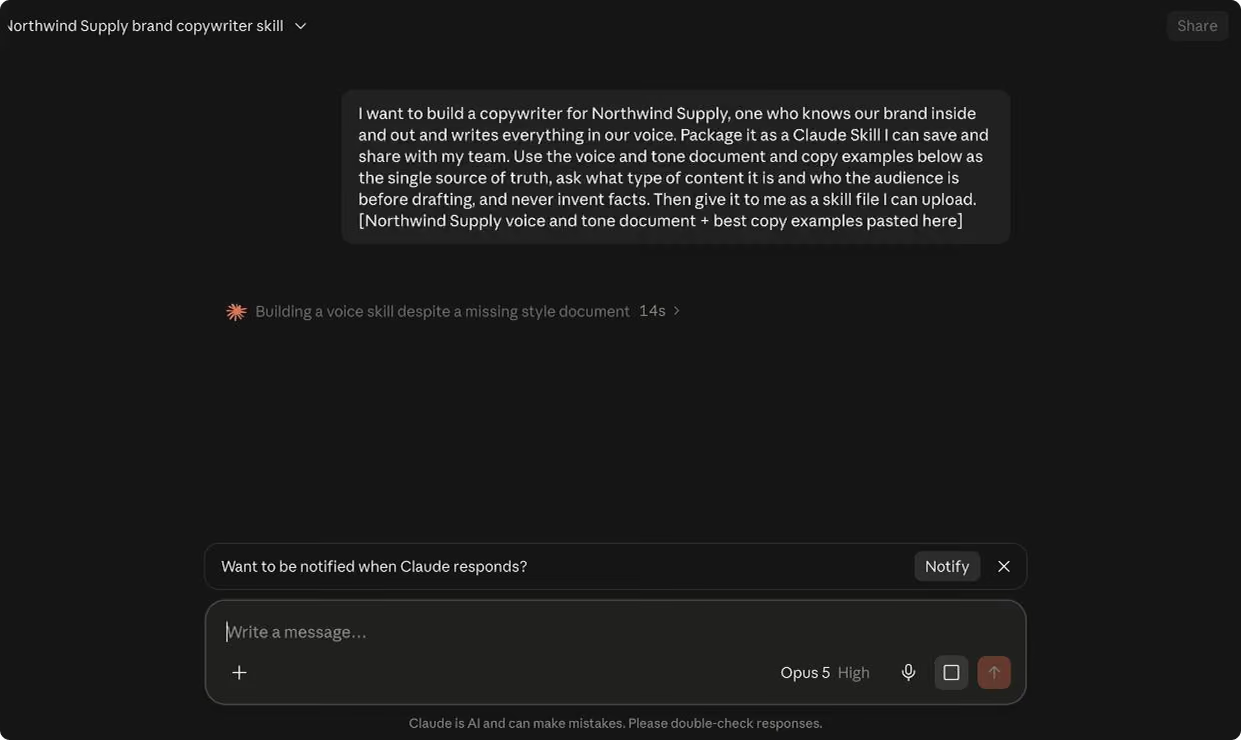
It may ask you some clarifying questions depending on what you feed it, which will only make the skill better. When Claude finishes, it shows the skill with a Save skill button. Click Save skill and it is added to your account under Customize, then Skills, ready to use in any conversation. If you would rather share the file with a teammate or keep a backup, you can also download it and upload it under Customize, then Skills.
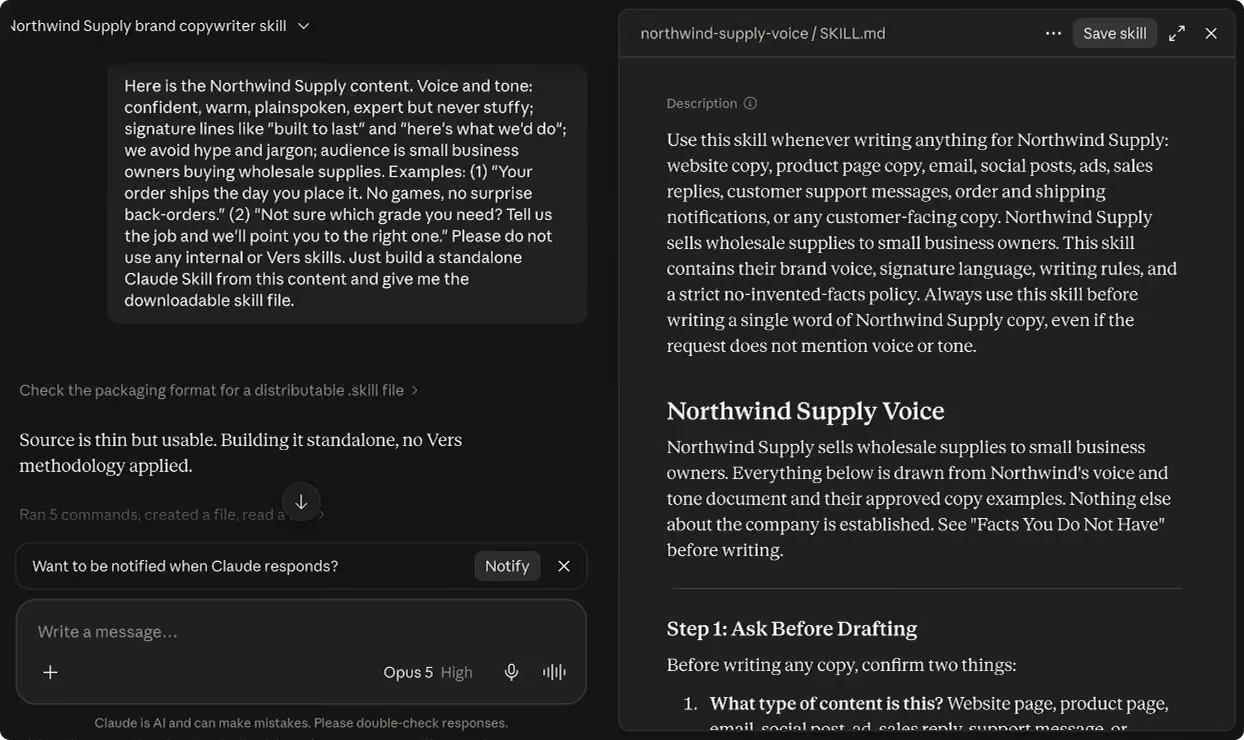
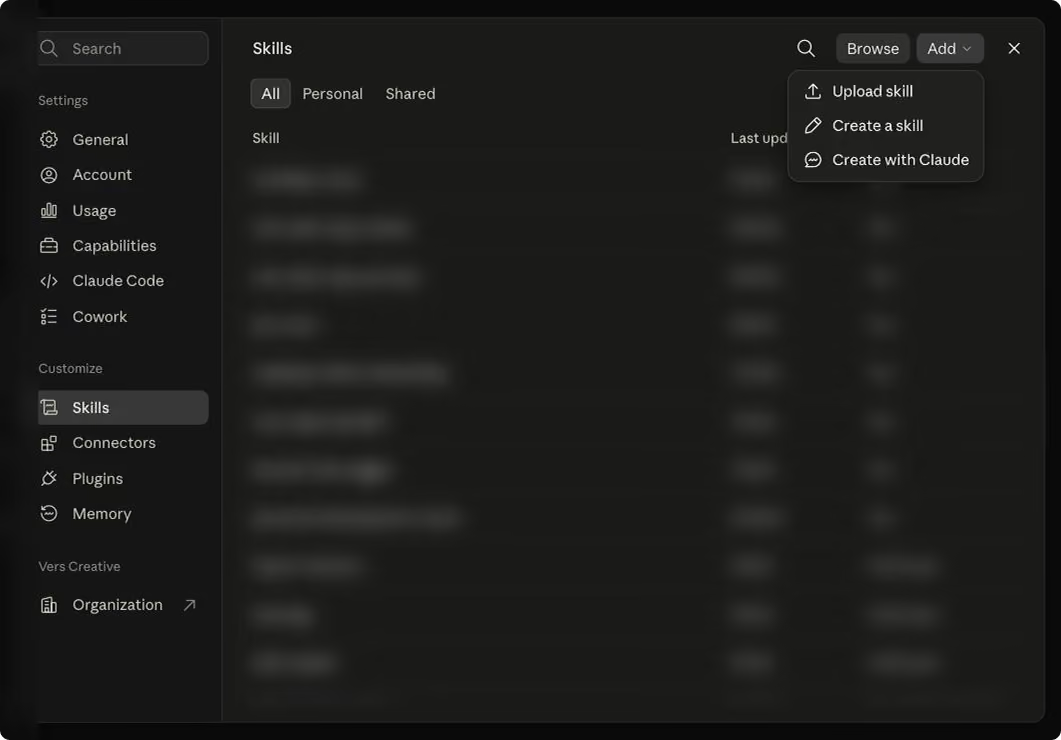
Toggle it on, and Claude reaches for your brand voice automatically whenever you ask for copy, in any conversation.
On Team and Enterprise plans, you can share the skill with specific people, a group, or your whole organization, and an admin can push it to everyone at once. When on a team plan, you can also now push all of the updates to the whole team so no one is working from an old version. Build the copywriter once, and the entire team inherits the same voice.
Build it in ChatGPT: a Custom GPT
A Custom GPT is a version of ChatGPT you set up once with your own instructions and reference files, then reuse. You build a Custom GPT inside a ChatGPT Business, Enterprise, or Edu workspace. As of August 2026, that is the only place you can create one. Personal plans, including Plus and Pro, can no longer build new GPTs.
Go to chatgpt.com/gpts, or open your profile and choose My GPTs, then click Create in the top right. The builder opens with two tabs on the left, Create and Configure, and a live preview on the right.


Stay on the Create tab and build it by talking. It opens by asking what you would like to make. Tell it, and paste your material right into the chat:
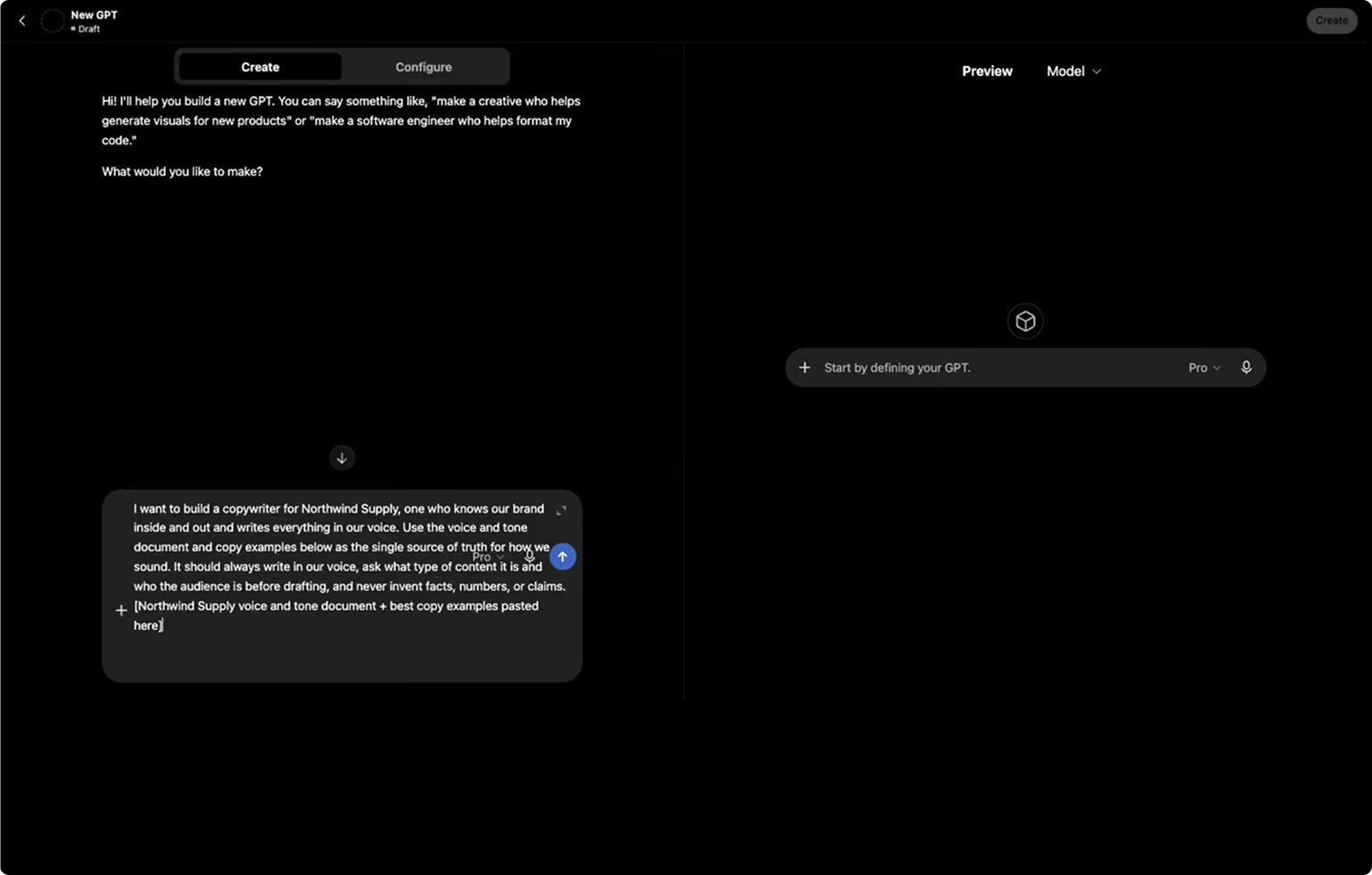
It writes the name, description, and instructions for you, and shows the result in the preview. Keep chatting to fine-tune in plain words: "make it warmer," "shorter subject lines," "never use exclamation points." Test it in the preview until it sounds like you.
One thing before you save. To have the GPT lean on your full voice document, open the Configure tab and add it under Knowledge.

When it sounds right, click Create in the top right to save it, then share it with your workspace so everyone on your team can open it and draft in your voice.
Train it like a new hire
Whichever tool you built, treat it like an assistant copywriter on their first day. It gets you most of the way there in seconds, and you handle the rest: the judgment, the nuance, the line only a human who knows the mission would write from a recent conversation you had.
Then keep training it. Every time you edit a draft, tell it what you changed and why. It learns, and your edits shrink week over week, until you are barely touching it, just the last ten percent that will always be yours.
We have found that when you set up skills/GPTs in this scalable way, this gives a small team the output of a much bigger one. On-brand first drafts in minutes, a consistent voice whether the writer is your director or your newest hire, and a lot less time staring at a blank page.
This only works if your voice is already documented
Everything above runs on one input: a voice and tone that is actually written down, and actually built around knowing your audience, and how they think. It’s the first thing a senior copywriter would build if you hired them tomorrow. Train the tools the right way with this context, and they extend your team. Feed them a vague sense of the brand, and they produce confident, on-brand-sounding copy that is not actually yours, faster than ever.
That is the real work, and it is the step most brands have never quite finished. It is also exactly what our roadmap process is built to do. A Vers roadmap produces a voice and tone guide grounded in your audiences, their pain points, and how to actually speak to them. If you have been through the roadmap with us, you already have this. Open that guide, gather your examples, and go build your copywriter today.
And if you do not have it yet, that is where to start. Reach out, and let us get your voice on the page. Then the tools can take it from there.